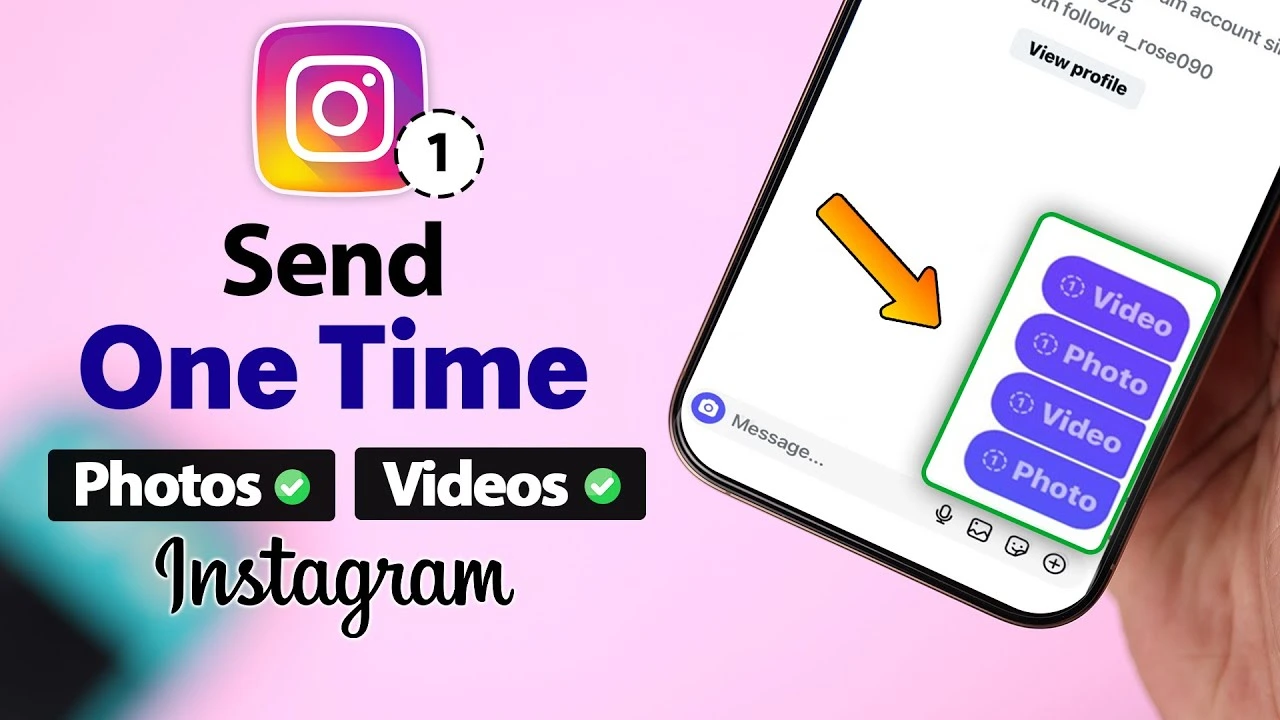
Instagram’s view once feature lets you send disappearing photos that vanish after being opened , meaning once you view and leave, the photo disapears. Works just like Whatsapp’s disapearing photos.The feature is built right into your DMs.
It’s perfect for sharing quick moments, sensitive info, or just keeping your chats clutter-free.
But Instagram’s interface shifts constantly. New updates roll out in waves, layouts differ by region, and what worked six months ago can look completely different today. So if you’re staring at your DMs wondering how to send a disappearing photo on Instagram, remember this, you’re not alone and you havent missed much.
Here’s exactly how to do it.
How to Send an Instagram View Once Photo (Step-by-Step)
Before anything else, know this: the biggest mistake beginners make is trying to send a view once photo through the regular text box or the gallery attachment button. That won’t work. You need to use the dedicated DM camera. Here’s the full process:
Step 1: Open Instagram DMs Tap the paper airplane or Messenger icon in the top-right corner of your feed. Open the conversation with the person you want to send the photo to.
Step 2: Tap the Blue Camera Icon This is the critical step. Do not tap the text field or the image attachment icon. Look for the blue camera icon on the bottom-left of the chat screen and tap that. This opens Instagram’s built-in DM camera — the only place where the View Once option actually lives.
Step 3: Take or Select Your Photo Snap a new photo directly in the camera. Or, if you want to use something already on your phone, swipe up to pull from your camera roll.
Step 4: Toggle to “View Once” At the bottom of the screen, you’ll see playback options — typically icons representing how many times the recipient can replay the photo. Swipe or tap through until View Once is highlighted. This tells Instagram the photo should disappear permanently after the recipient opens it once.
Step 5: Hit Send Tap the send button. That’s it. Once your recipient opens the photo, it’s gone — no replays, no saving.
Before you send that next disappearing snap, make sure it actually looks good. Taking a few minutes to master your photography composition skills can completely transform an ordinary smartphone shot into something memorable.
A Quick Note on “Instants” and Layout Differences
If your screen doesn’t look exactly like what’s described above, don’t panic. Instagram has been rolling out a redesigned format called Instants — a new stacked layout for disappearing media in DMs. Depending on your region and app version, the interface may look slightly different. Kenyan users especially may notice version differences since Instagram rolls out updates gradually across markets.
The core logic stays the same: use the blue camera icon, not the gallery tool, and find the View Once toggle before sending. The labels or icons might shift, but the feature is still there.
Privacy FAQ: Can You Screenshot an Instagram View Once Photo?
This is the question everyone actually wants answered.
Technically, yes — but Instagram will notify you.
Instagram does send a screenshot notification to the sender when someone screenshots a view once photo. You’ll see a small alert appear in the chat letting you know the recipient captured your image. Instagram doesn’t fully block screenshots the way Snapchat attempts to, but the notification acts as a transparency mechanism — most people will think twice knowing you’ll find out.
That said, on some devices and certain iOS versions, screen recording can bypass the notification system entirely. It’s a known limitation. So while the instagram view once photo feature works well for casual privacy — sending something you don’t want lingering in a chat — it’s not a bulletproof privacy tool.
Bottom line: don’t send anything through View Once that you’d be seriously uncomfortable with someone saving. The feature adds a layer of friction, not an impenetrable wall.
Why Use View Once Photos?
This feature is genuinely handy beyond just privacy. Sometimes you want to share something temporarily without clogging up someone’s message thread — a quick screenshot of something funny, a candid selfie, or directions you don’t need them to keep.
It’s also great for storage. Regular photos and videos stay in DMs indefinitely unless manually deleted. View Once content clears itself automatically, which keeps both sides of the conversation tidy without anyone having to think about it.
For casual everyday use, it works perfectly fine. Just don’t rely on it as your main line of defence for anything truly sensitive.
Final Tips Before You Send
A few things worth knowing before you start using this regularly:
- The photo can only be opened once. After that, it disappears from both sides of the conversation — no replay option, no recovery.
- If the recipient hasn’t opened it yet, it stays in the chat until they do — but they’ll only ever get that one view.
- This feature only works in Direct Messages, not in Instagram Stories or posts. If you want disappearing content on your profile, you’ll need Stories with the standard 24-hour timer instead.
The Short Version
If you want to know how to send a one time view picture on IG: open a DM, tap the blue camera icon (not the gallery button), take or choose your photo, select View Once, and send. That’s the whole process. It works consistently across iOS and Android — just make sure you’re using the right camera entry point, and you won’t run into any issues.
Leave a Reply